How to Brief a Web Designer (and Get the Site You Want)
A clear brief is the difference between the website you pictured and an expensive back-and-forth. Exactly what to tell your web designer before the work starts.
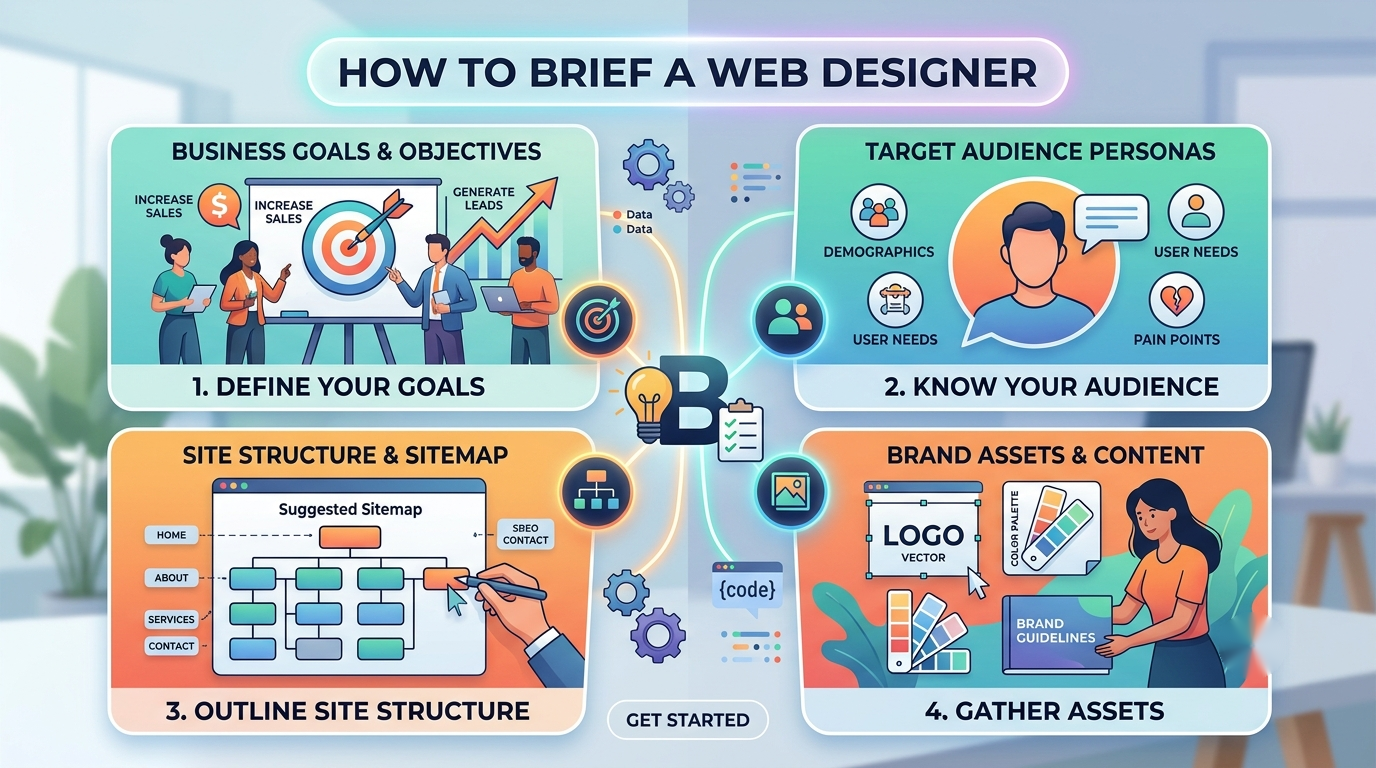
The short version
- A good brief isn't about design ideas. It's about your business, your customers, and what the site has to achieve.
- Tell your designer the goal, the audience, the must-have pages and features, examples you like, and your budget and deadline.
- You don't need design skills to write a great brief — you need to be clear about the business problem you're solving.
- The clearer the brief, the faster and cheaper the build, and the closer the result is to what you pictured.
The biggest reason a website turns into a slow, frustrating back-and-forth isn’t a bad designer. It’s a vague brief. When the designer has to guess what you want, they guess, you correct, they redo, and the bill and timeline both grow.
The good news: a great brief has nothing to do with design skill. It’s about being clear on your business. Here’s exactly what to put in it.
What is a web design brief?
A web design brief is a short document that tells the designer what your business does, who your customers are, and what the website needs to achieve. It’s the shared reference both sides work from, so the finished site matches what you actually needed, not what someone assumed.
You don’t describe layouts or colours. You describe the problem. The designer’s job is to solve it — that’s what you’re paying for.
Start with the goal
Before anything else, name the one thing the site must do. Not five things. One.
- Get more enquiries?
- Take bookings online?
- Sell products?
- Look credible so you win bigger clients?
Everything else flows from this. When we worked with Islamic Travel, the goal was clear from the start: stop losing bookings to phone tag and let customers book packages online end to end. That one goal shaped every page. A site trying to do everything usually does nothing well.
Describe your customer
The site isn’t for you. It’s for the people you want to reach. Tell the designer:
- Who they are (age, situation, what they do)
- What they need from you
- What worries or questions they have before they buy
A site for parents choosing a children’s therapist needs to feel warm and reassuring. A site for a print shop needs to feel fast and capable. Same skill, completely different result, and only your customer decides which is right.
List your must-have pages and features
Write down the pages you know you need (Home, About, Services, Contact, and so on) and — this is the part people forget — any features:
- Online payments or a shop
- A booking or enquiry system
- Member logins
- A blog
- Anything custom
Split them into must-haves and nice-to-haves. Features are what move a quote the most, so being clear here keeps the price honest and predictable.
Show examples you like (and dislike)
Words like “modern,” “clean” and “professional” mean different things to everyone. Examples don’t. Point to two or three websites you like and say why — “I like how simple their menu is,” “their homepage makes it obvious what to do.”
A couple of sites you dislike help just as much. This tells the designer your taste in minutes, and saves a round of revisions guessing at it.
Hand over your brand assets
Give the designer what you already have: logo files, brand colours, fonts, photos, and any existing copy. If you don’t have a proper brand yet, say so — that’s a normal starting point, and often part of the job. We built the brand and the site from scratch for AWESIZE and Chiefs of Century, because website and branding work best together.
Be honest about budget and deadline
This is where briefs go shy, and it costs everyone. A real budget range lets the designer scope the right solution instead of guessing — there’s no point designing a $15k site for a $4k budget, or vice versa. Same with deadlines: a hard date (a launch, an event, a season) changes how the work is planned.
You’re not showing your hand by sharing a budget. You’re helping a professional recommend what actually fits, the same way you’d tell a builder your budget before they draw up plans.
Put it together
You don’t need anything fancy. A one or two-page document (or even a clear email) covering the goal, the customer, the pages and features, examples, brand assets, and budget and deadline is a brief most designers would be glad to receive.
A good agency will also interview you to fill the gaps — in fact, that’s a sign you’ve picked a good one. If a designer jumps straight to price without asking about your business, be careful.
If you’d like a hand shaping your brief, start a conversation with us. We’ll ask the right questions and turn your goals into a plan before any design work begins — it’s how our web design projects stay on scope and on budget.
Frequently asked questions
What should a web design brief include?
A web design brief should cover the goal of the site, who your customers are, the pages and features you need, two or three examples you like and why, your brand assets, and your budget and deadline. It's about the business problem, not design detail.
Do I need design skills to brief a web designer?
No. A great brief describes your business, your customers and what the site has to achieve — not colours or layouts. Being clear about the problem is far more useful than trying to design it yourself.
How long should a web design brief be?
Long enough to be clear, short enough to read — often one or two pages. What matters is that it answers the goal, the audience, the must-have pages and features, examples, budget and deadline. Depth beats length.
What happens if I don't give a clear brief?
Without a clear brief, the designer fills the gaps with guesses. That leads to revisions, delays and a site that misses the mark — all of which cost you time and money. A clear brief up front is the cheapest part of the whole project.
Sources
Want a hand with this?
We do exactly this. Take a look at Web Design, or start with a free check.